Everything you need to know about installing and using our eSIM.
eSIM installation guide
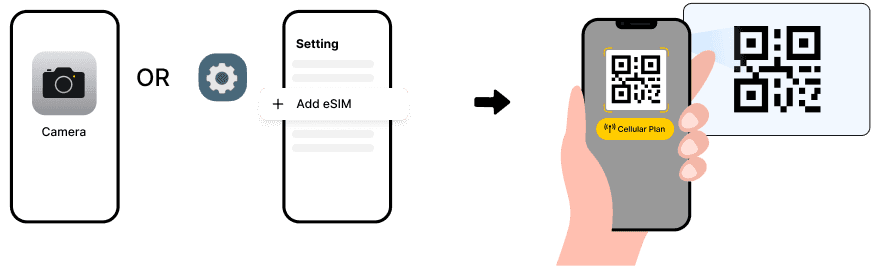
Method 1: scan QR code
1. Scan the QR Code using your phone's camera.2. Click “Cellular Plan” to install.
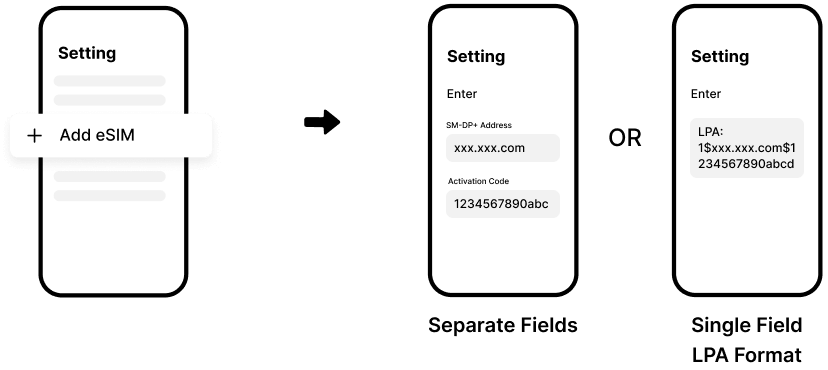
Method 2: enter activation code manually
1. Go to Settings > Cellular > Add eSIM > Enter Details Manually.2. Enter the “SM-DP+ Address” and “Activation Code”, then tap “Next”.
Support
Still have doubts? Email us at support@getesimify.com
Ready to go? Get your eSIM!Go to destinations