Best eSIM for Boston 2026: Staying Connected from Logan Airport to Gillette Stadium
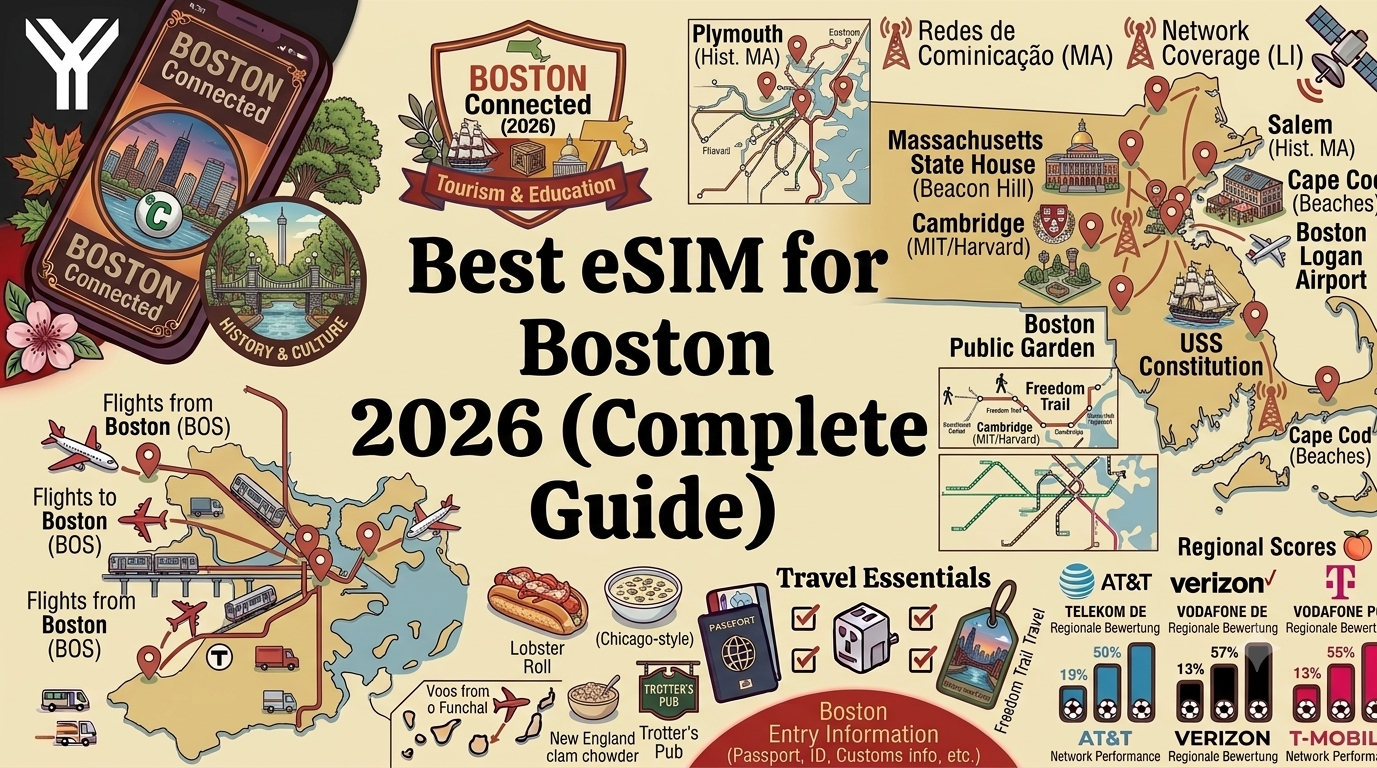
Boston is having a moment in 2026. Beyond its usual draw as one of America's most walkable, history-rich cities, Boston is also a FIFA World Cup 2026 host market, with matches played at Gillette Stadium in nearby Foxborough. That means a wave of international visitors, business travelers, and soccer fans are landing at Logan International Airport this summer, many of them needing reliable mobile data the moment they touch down.
This guide covers everything you need to know about using an eSIM in Boston in 2026: which networks offer the best coverage downtown and around Gillette Stadium, how to get from Logan Airport into the city, what to expect on the T (Boston's subway system), and practical recommendations for tourists, students, business travelers, and World Cup fans.
TLDR: Best eSIM for Boston in 2026
- Boston has strong 5G coverage from Verizon, AT&T, and T-Mobile across downtown, Cambridge, and most neighborhoods.
- Logan International Airport (BOS) has full 5G coverage throughout all terminals.
- Gillette Stadium in Foxborough, the venue for Boston's FIFA World Cup 2026 matches, has dedicated stadium connectivity infrastructure, though expect congestion on match days.
- The MBTA "T" subway has decent coverage on most above-ground sections, with some older underground tunnel segments having weaker signal.
- An eSIM activated before you fly means you are connected the moment you land, ready for rideshares, hotel check-in, and navigating the Freedom Trail.
- Recommended starting point: 8-12GB for a one-week trip; more if you are traveling to Foxborough for a match.
Why You Need an eSIM for Boston
If you are traveling to Boston from outside the United States, your home carrier's roaming charges can be steep, often with a daily fee for limited data that gets throttled once you exceed it. Domestic travelers on certain prepaid plans can also run into data caps during a busy week of sightseeing, especially if your itinerary includes a day trip out to Foxborough for a match.
An eSIM lets you install a US data plan onto your phone before you fly, activated via a QR code or link, without swapping your physical SIM. You keep your home number active for calls and texts while using the eSIM for fast data throughout your trip.
Who This Guide Is For
- Tourists walking the Freedom Trail, visiting Faneuil Hall, and exploring the North End.
- World Cup fans traveling to Gillette Stadium in Foxborough for matches during the 2026 tournament.
- Students and academics visiting or relocating near Boston's many universities, including Harvard and MIT in Cambridge.
- Business travelers attending conferences in the Seaport District or downtown financial district.
- International visitors connecting through Logan International Airport.
Mobile Networks in Boston: Coverage Overview
As one of the oldest and most densely built cities in the United States, Boston has mature network infrastructure across its downtown core, with all three major carriers offering strong 5G in the city center and surrounding suburbs.
Verizon
Verizon has a long-standing strong presence across Boston and the greater metro area, including reliable coverage in Cambridge, Somerville, and the inner suburbs.
AT&T
AT&T offers consistent coverage throughout downtown Boston, the Seaport District, and Logan Airport, with growing 5G availability across the metro area.
T-Mobile
T-Mobile has expanded 5G significantly in Boston in recent years, with strong coverage downtown, in Cambridge, and increasingly good coverage on the MBTA's above-ground lines.
Network Coverage by Area
| Area | Best Coverage | 5G Availability | Notes |
|---|---|---|---|
| Downtown Boston and Back Bay | AT&T, Verizon, T-Mobile | Excellent 5G | Dense coverage throughout the financial district and shopping areas |
| Logan International Airport (BOS) | All major carriers | Full 5G across terminals | Coverage extends into the airport's Blue Line connection |
| Cambridge and Harvard/MIT area | Verizon, T-Mobile | Excellent 5G | Dense academic and tech corridor with strong infrastructure |
| MBTA "T" Subway (above ground) | T-Mobile, Verizon | Good on surface sections | Green Line surface branches generally reliable |
| MBTA "T" Subway (underground, older tunnels) | Varies by carrier | Inconsistent in older sections | Some Park Street and Downtown Crossing tunnels have weak signal |
| Gillette Stadium, Foxborough | Verizon, AT&T | Strong on non-event days, congested during matches | Dedicated stadium DAS network helps but expect slowdowns at peak times |
| North Shore and Cape Cod (day trips) | Verizon, AT&T | Good in towns, variable on outer Cape | Some coastal areas have weaker coverage |
Boston and the FIFA World Cup 2026
Boston's World Cup matches are played at Gillette Stadium, about thirty miles southwest of the city in Foxborough. This means most visitors will be staying in downtown Boston or Cambridge and traveling out to Foxborough on match days, making reliable connectivity for navigation and ticketing apps especially important.
Getting to Gillette Stadium
There is no direct subway line to Foxborough. On event days, the MBTA typically runs special commuter rail service from South Station directly to the Foxborough station near the stadium, and rideshare services also operate extensively, though traffic can be heavy before and after matches. Having your eSIM active for navigation, MBTA schedules, and rideshare apps makes the journey considerably smoother, particularly for first-time visitors unfamiliar with the route.
Match Day Connectivity Tips
Gillette Stadium has a distributed antenna system designed to handle large crowds, but with tens of thousands of fans simultaneously trying to upload photos, check tickets, and message friends, expect speeds to slow during peak moments, particularly right before kickoff and at halftime. This is a function of crowd density rather than your eSIM, and is consistent across all carriers and devices.
Multi-City World Cup Itineraries
If your trip combines Boston with other host cities, a United States eSIM plan covers your whole itinerary without needing to swap SIMs between cities. Check out our guide to eSIM for the FIFA World Cup 2026 for tips on planning a multi-city trip across host venues.
Neighborhood-by-Neighborhood Connectivity Guide
Downtown, Back Bay, and Beacon Hill
Boston's historic core, including the Freedom Trail, Boston Common, and Beacon Hill's cobblestone streets, has dense network coverage throughout. Back Bay, home to the Prudential Center and Newbury Street shopping, also has excellent coverage across all carriers.
The North End and Faneuil Hall
Boston's Italian North End, known for its restaurants and the Paul Revere House, has strong coverage, as does the nearby Faneuil Hall Marketplace, one of the city's busiest tourist areas.
Cambridge and Harvard Square
Just across the Charles River, Cambridge is home to Harvard University and MIT, and has some of the densest network infrastructure in the metro area given the concentration of students, researchers, and tech companies.
Seaport District
Boston's newest neighborhood, the Seaport District, has been built up with modern infrastructure and offers excellent coverage, making it a popular base for business travelers attending conferences at the Boston Convention and Exhibition Center.
Fenway and the Back Bay Fens
Fenway Park, home of the Red Sox, draws large crowds on game days. Coverage in the area is strong, though expect some congestion during sold-out games, similar to other major venues.
Day Trips: Salem, Cape Cod, and the North Shore
Many visitors combine Boston with a day trip to Salem for its history, or to Cape Cod for the beaches. Coverage along the highways and in town centers is generally good, though some of the more remote areas of the outer Cape have weaker signal.
Choosing the Right eSIM Plan for Boston
Short Trips (3-5 Days)
For a typical weekend or short business trip focused on downtown and Cambridge, a 5-8GB plan is usually sufficient for navigation, rideshares, and messaging.
World Cup Trips
If your trip includes a match at Gillette Stadium, plan for additional data usage on match days for navigation to Foxborough, ticketing apps, and sharing photos and videos. A 12-15GB plan gives comfortable headroom for a multi-day visit that includes a match.
Business Travelers
For conference trips to the Seaport District or meetings downtown, an 8-10GB plan covers email, video calls, and navigation for most multi-day stays, especially when paired with hotel and venue WiFi.
Day Trippers
If your itinerary includes day trips to Salem, Cape Cod, or the North Shore, a slightly larger allowance helps cover navigation in areas where coverage may be less consistent than downtown Boston.
Real-World Scenarios: How Travelers Use eSIMs in Boston
Scenario 1: The International World Cup Fan
Carlos flies in from Brazil for a match at Gillette Stadium, staying in downtown Boston for four nights. With his eSIM activated before his flight, he is online the moment he lands at Logan, navigating the Blue Line into the city. On match day, he uses the MBTA's special commuter rail service to Foxborough, relying on his eSIM for schedules and rideshare coordination on the way back. He uses about 6GB over the four days on a 10GB plan.
Scenario 2: The History-Focused Tourist
Priya spends five days walking the Freedom Trail, visiting the North End, and taking a day trip to Salem. She finds coverage excellent throughout downtown and Salem's town center, with only minor gaps on quieter back roads during her drive. A 6GB plan covers her trip comfortably.
Scenario 3: The Visiting Academic
Dr. Tanaka visits Harvard for a week-long research collaboration, staying in Cambridge and commuting between Harvard Square and downtown Boston for meetings. He finds coverage consistently strong throughout Cambridge and on the Red Line, using about 4GB over the week on an 8GB plan.
Scenario 4: The Business Traveler at the Seaport
Aisha attends a three-day conference at the Boston Convention and Exhibition Center, staying at a Seaport hotel within walking distance. She finds coverage excellent throughout the venue and surrounding area, using her eSIM mainly for email, video calls, and the occasional rideshare to Fenway for an evening game.
Tips and Best Practices
Before You Travel
- Install your eSIM profile over WiFi before departure, since activation requires an internet connection.
- Confirm your phone is unlocked and eSIM-compatible. Most iPhones from the XS onward and recent flagship Android phones support eSIM.
- If your trip includes a match at Gillette Stadium, download your tickets and any transit apps in advance, since networks get congested around the stadium on event days.
While in Boston
- Expect brief signal loss in some older underground sections of the MBTA, particularly around Park Street and Downtown Crossing. This is normal and coverage returns once the train reaches the surface or the next station.
- Boston's weather can change quickly, especially near the harbor. Having reliable data for weather apps is useful year-round.
- Many downtown hotels and cafes offer free WiFi, which can help conserve your data allowance for when you are out exploring.
Common Issues and Troubleshooting
- No signal after landing: Make sure data roaming is enabled for your eSIM line in your phone's settings, the most common cause of connectivity issues on arrival.
- Signal drops on the T: This is typically a genuine coverage gap in older subway tunnel sections rather than an eSIM issue, and resolves once the train reaches the surface or the next station.
- Slow speeds at Gillette Stadium on match day: This is due to crowd density rather than a problem with your eSIM. Speeds typically improve after kickoff once everyone has finished checking in.
- eSIM not activating: Confirm your device's date and time are set to automatic, as incorrect settings can prevent network registration.
Boston Travel Recommendations Beyond Connectivity
Boston rewards visitors who explore beyond the Freedom Trail. The Boston Public Market near Haymarket offers a great introduction to local food, the Isabella Stewart Gardner Museum is a favorite among art lovers, and a walk or bike ride along the Charles River Esplanade offers some of the best skyline views in the city. If you are visiting during World Cup season, expect downtown to be busier than usual, with fan zones and viewing parties popping up around the city even on days without a match in Foxborough.
Boston's Universities, Tech Scene, and Innovation District
Boston and Cambridge together host one of the highest concentrations of universities anywhere in the world, including Harvard, MIT, Boston University, and Northeastern. This academic density has fueled a thriving biotech and tech sector, particularly in the Seaport's Innovation District and Cambridge's Kendall Square, both of which have excellent connectivity given the volume of remote work and research that happens there. Visitors attending academic conferences or business meetings in these areas will find coverage among the most reliable in the city.
Getting Around: The MBTA and Beyond
Boston's subway system, known locally as the T, is one of the oldest in the country, and while most of it has been modernized, a handful of underground sections in the downtown core date back over a century and have weaker cellular signal as a result. Above-ground sections of the Green Line, Orange Line, and Red Line generally have good coverage. For visitors planning to rely heavily on transit apps, downloading offline maps as a backup is a sensible precaution, though in practice most riders find their eSIM reconnects quickly once the train resurfaces.
Weather Considerations
Boston's weather can shift quickly, particularly near the harbor and Charles River. Summer visitors should be prepared for sudden thunderstorms, while World Cup season in June and July typically brings warm, humid conditions. A reliable data connection for weather apps helps travelers plan around sudden changes, especially if you are heading out to Foxborough for an outdoor match.
Frequently Asked Questions
Does my phone support eSIM in Boston?
Most smartphones from 2019 onward, including iPhone XS and later and most flagship Samsung and Google Pixel devices, support eSIM. Check your device settings under "Mobile Data" or "Cellular," or search your phone model plus "eSIM compatible" to confirm.
Will my eSIM work on the MBTA "T"?
Generally yes on above-ground sections, which make up most of the system. Some older underground tunnel sections, particularly around Park Street and Downtown Crossing, have weaker or intermittent coverage, which is a known limitation of the infrastructure rather than an eSIM-specific issue.
How much data do I need for a week in Boston?
For typical tourist use, including navigation, messaging, and browsing, 6-10GB is usually sufficient for a week. If your trip includes a day at Gillette Stadium for a World Cup match, consider 12-15GB.
Is Logan Airport well covered for eSIM activation?
Yes, Logan has full 5G coverage from all major carriers throughout its terminals, so your eSIM should connect automatically as soon as your phone detects a local tower after landing.
Will my eSIM work at Gillette Stadium during a World Cup match?
Yes, though expect slower speeds during peak crowd moments due to network congestion, which affects all carriers and devices similarly during major events. The stadium's distributed antenna system helps, but it cannot fully eliminate slowdowns when tens of thousands of people are online at once.
How do I get from Logan Airport to downtown Boston?
The Silver Line bus connects Logan's terminals to South Station, and the Blue Line subway is accessible via a short shuttle bus from the airport. Both options have good coverage, so your eSIM should work for navigation and ticketing throughout the journey.
Can I use the same eSIM for Boston and other World Cup host cities?
Yes, a United States eSIM plan covers Boston alongside other host cities, useful for fans attending matches in multiple venues during the tournament.
Is it better to buy a physical SIM card at Logan Airport instead of using an eSIM?
An eSIM is generally more convenient, since it activates automatically before you even reach the arrivals hall, whereas buying a physical SIM means finding a kiosk, waiting in line, and swapping out your home SIM card, which also means losing access to your usual phone number for calls and texts during your trip.
Conclusion
Boston's compact, walkable core and well-developed network infrastructure make it one of the easier US cities to navigate with an eSIM, with only a handful of older subway tunnel sections presenting genuine coverage gaps. Whether you are walking the Freedom Trail, attending a conference in the Seaport, or heading out to Foxborough for a World Cup match, setting up an eSIM before you travel means you can be online from the moment you land at Logan.
Browse Esimify's United States eSIM plans for Boston and beyond, and check out the Esimify travel blog for more guides, including our coverage of Atlanta, Chicago, and the FIFA World Cup 2026 host cities.